Samanvay: what we built in CRM2

Samanvay is the new name for the CRM2 volunteer app. Same code, same team.

Added: 10 new apps in one home screen. Each app has an on/off switch.

Try it now:

https://crm2-proto.anantmb.workers.dev

Demo only. All names and numbers are invented.

Try it

Open crm2-proto.anantmb.workers.dev on your phone.

Password for all: Jaigurudev123

PersonaUsernameTry this
Teachertour.teacher
  1. Open Leads. Tap Call on a lead.
  2. Open Survey. Look at your own QR.
  3. Open Teams. See your centre.
Volunteertour.volunteer
  1. Open Seva. Sign up for a shift.
  2. Open Seva Rides. Tap Need a ride.
  3. Open Promote. Share a video.
Second volunteertour.volunteer2
  1. Open Seva Rides. Tap Offer a ride.
  2. Answer the first volunteer's request.
  3. Watch the bell on both phones.
Coordinatortour.coordinator
  1. Open Leads. See the whole centre.
  2. Open Admin. Read Support requests.
  3. Open Announcements. Post a notice.
Admintour.admin
  1. On Home, tap Turn apps on or off.
  2. Switch Promote off.
  3. Go Home. The tile is gone. Switch it on again.

Tip: use two phones, or two browsers, for the volunteer pair.

The apps

Each tile opens one app. You see only the apps your role may use.

Any app can be turned off. An admin does it on Home > Turn apps on or off. No rebuild.

Main app

Leads

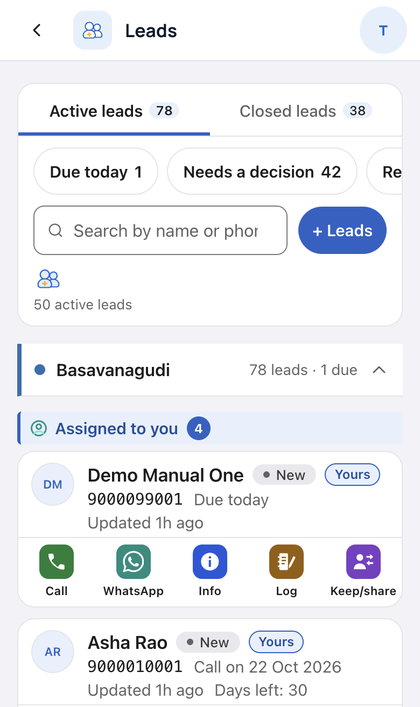
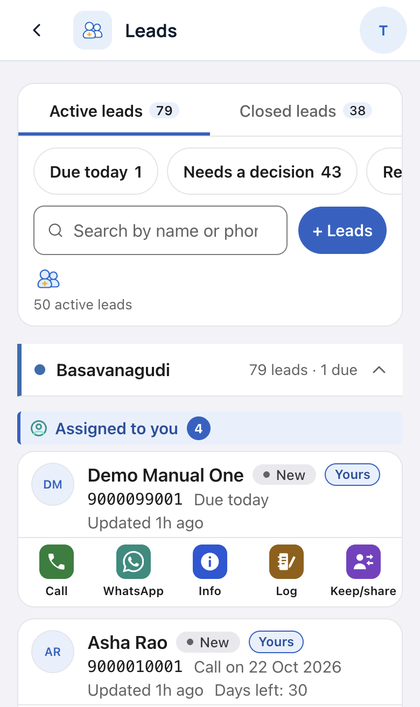
Follow up with people you invited. Call or WhatsApp in one tap.
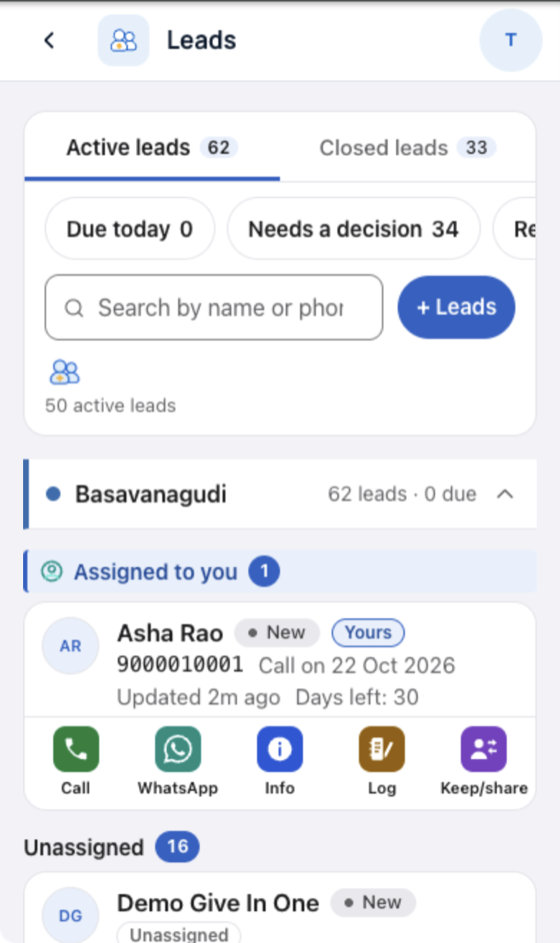
Leads list with Call and WhatsApp buttons

Try:

  1. Tap Leads. Find "Assigned to you".
  2. Tap Call or WhatsApp on a lead.
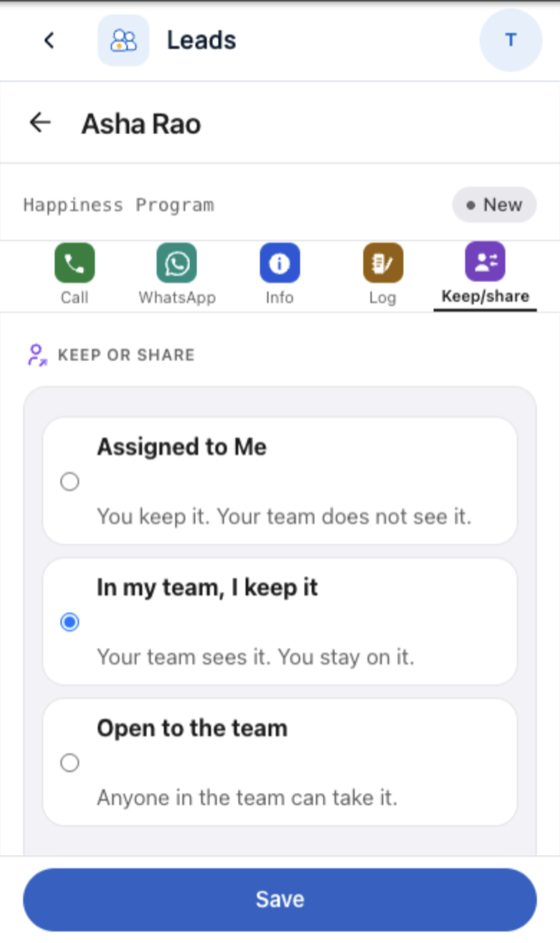
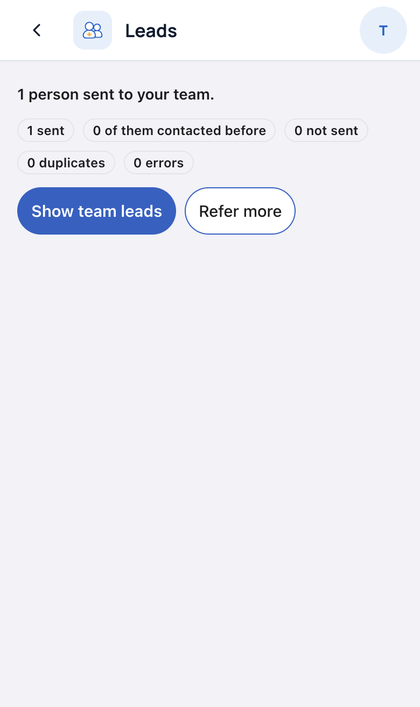
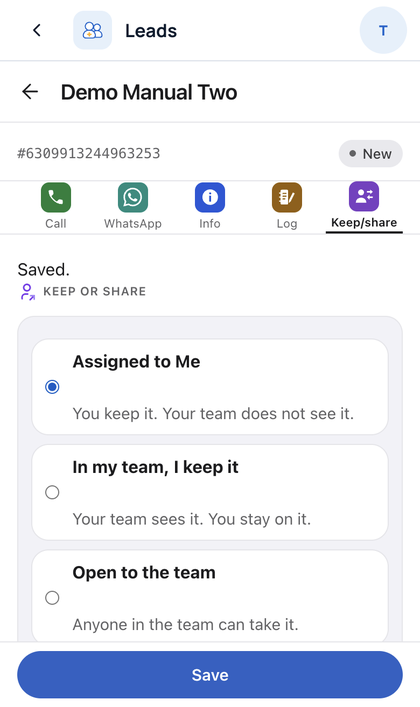
  3. Tap Keep/share. Keep it, or share it with your centre.

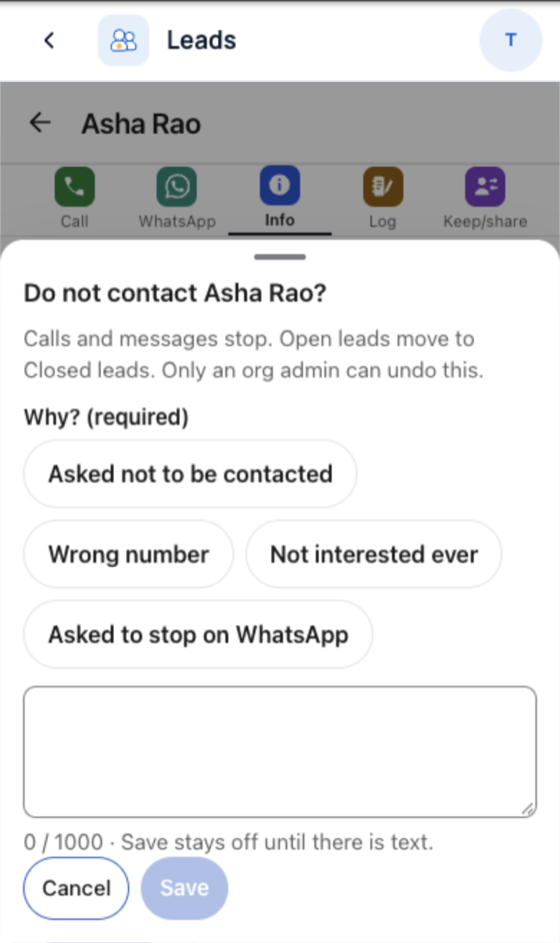
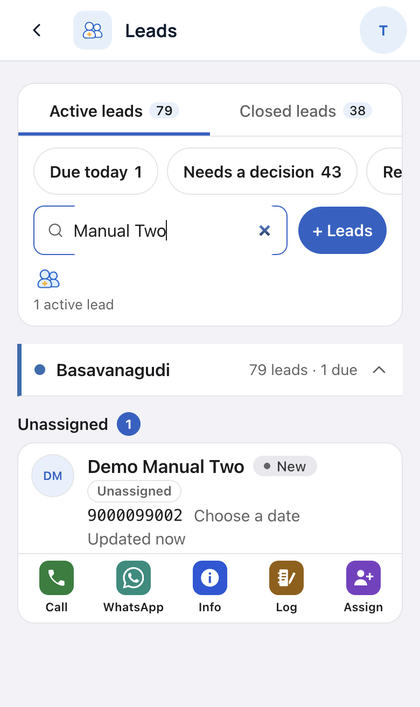
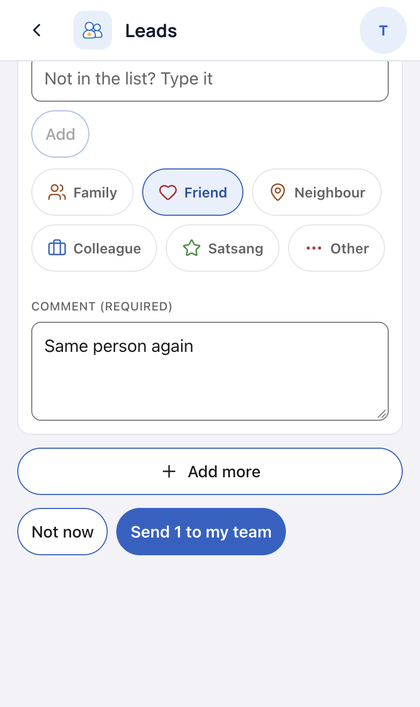
One lead per phoneDo not contact needs a reasonUndo the last stepClosed list with reason

More Leads picturesKeep or share a leadDo not contact with a reason
Main app

Teams

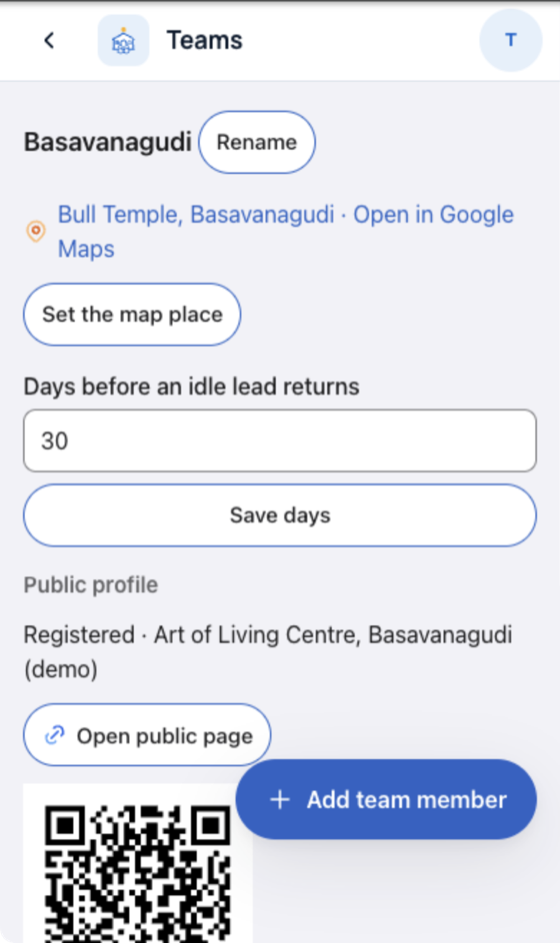
Your centre and its team. Invite people, set the centre map place.

Teams screen showing your centre

Try:

  1. Tap Teams. See your centre.
  2. Tap Add team member.
  3. Change "Days before an idle lead returns". Tap Save days.

Survey

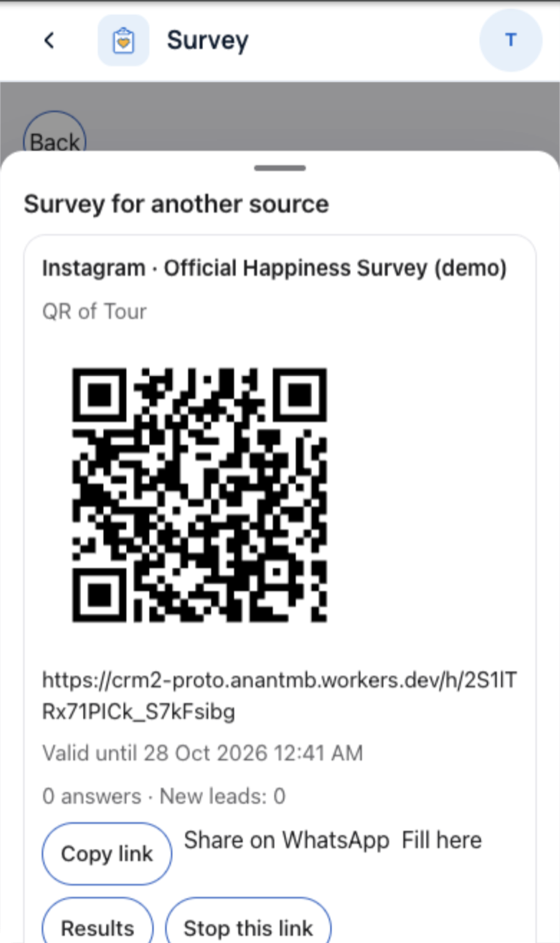
The Happiness Survey. Each volunteer has an own QR link.

Survey screen with a QR link

Try:

  1. Tap Survey.
  2. Open your QR.
  3. Tap Results.

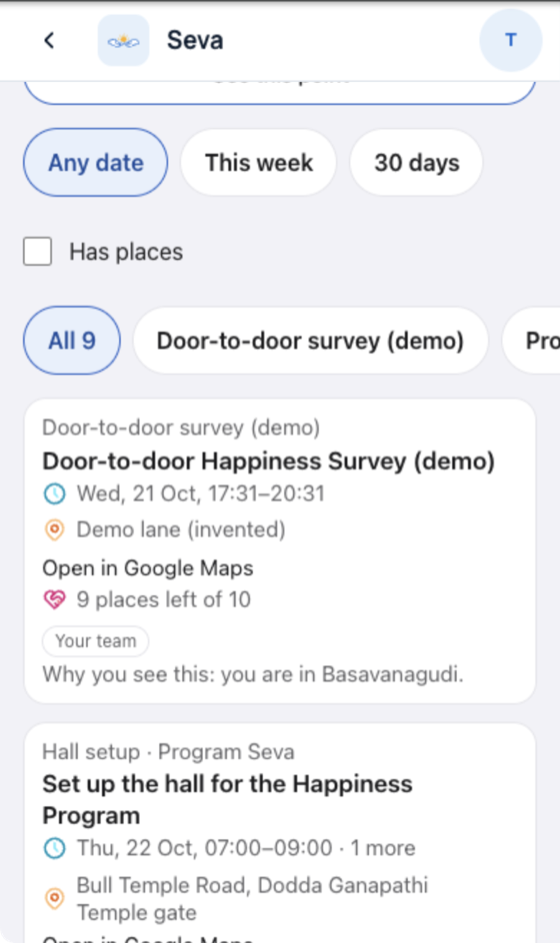
Seva

Seva you can join near you. Sign up, check in, log hours.

Seva list of shifts near you

Try:

  1. Tap Seva.
  2. Pick This week.
  3. Open a card and sign up.

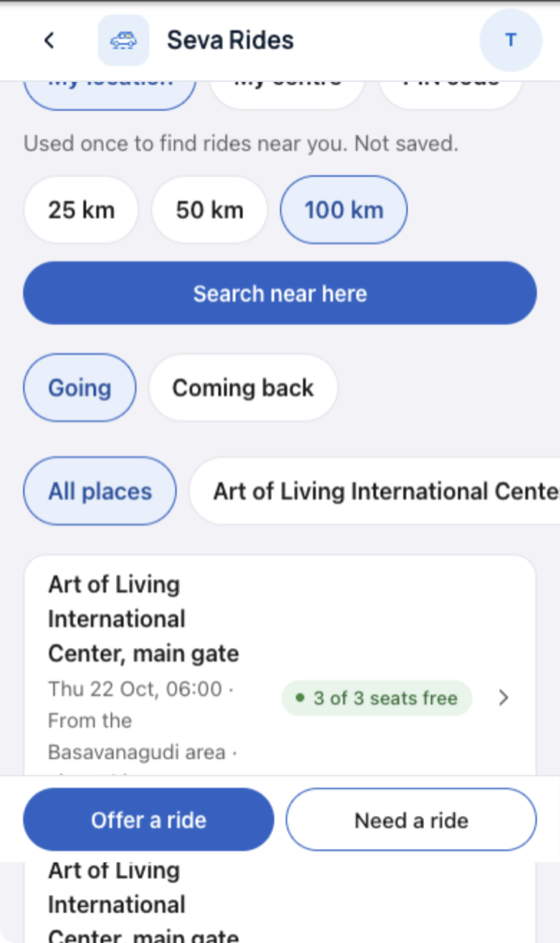
Seva Rides

Shared rides to programs and seva.

Seva Rides search screen

Try:

  1. Tap Seva Rides.
  2. Tap Search near here.
  3. Tap Need a ride.

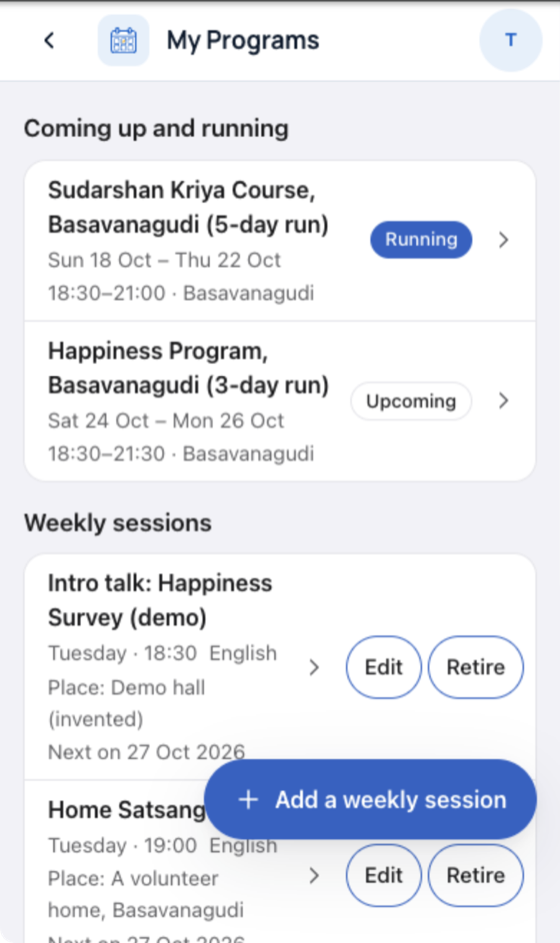
My Programs

Programs you run or attend.

My Programs list

Try:

  1. Tap My Programs.
  2. Open a program.
  3. See who comes.

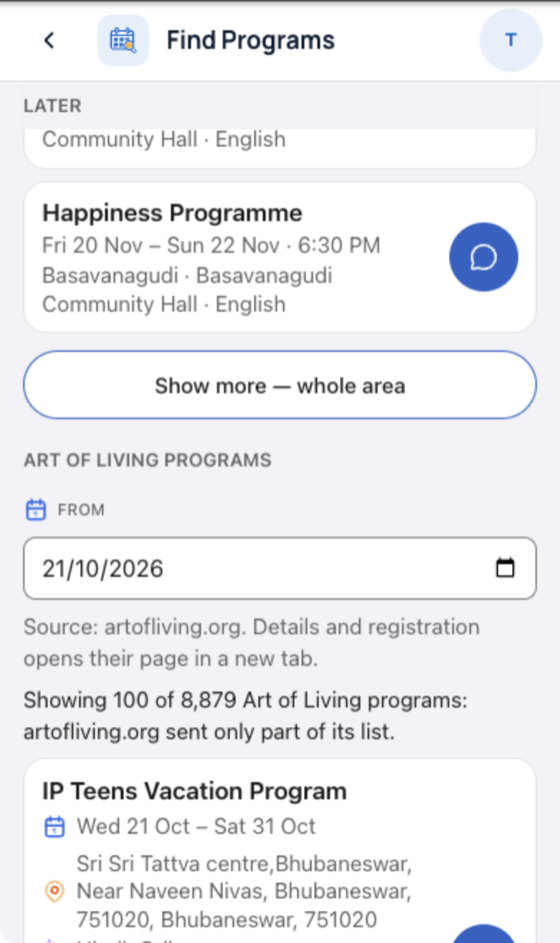
Find Programs

The Art of Living program catalog.

Program catalog search

Try:

  1. Tap Find Programs.
  2. Search a program name.
  3. Open one.

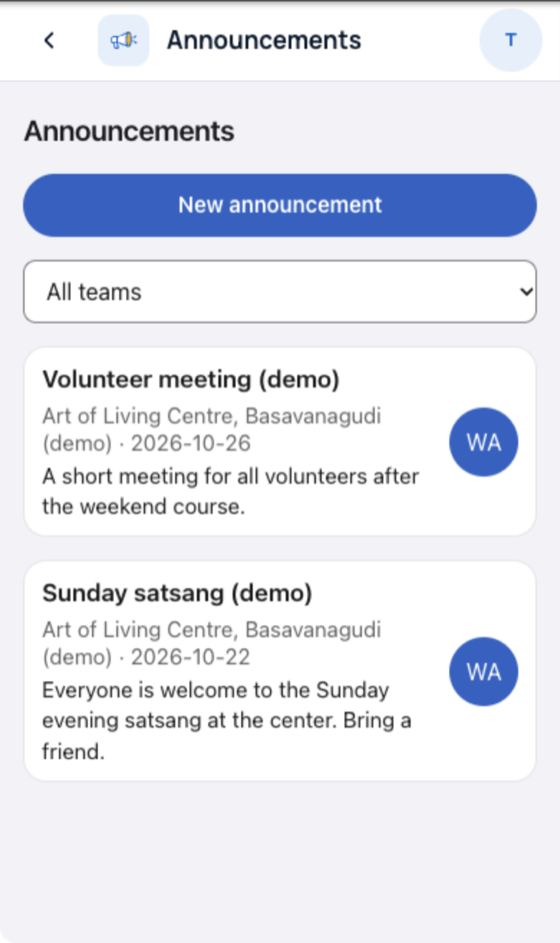
Announcements

Notices for your centre or region.

Announcements list

Try:

  1. Tap Announcements.
  2. Read the newest.
  3. Coordinators: post one.

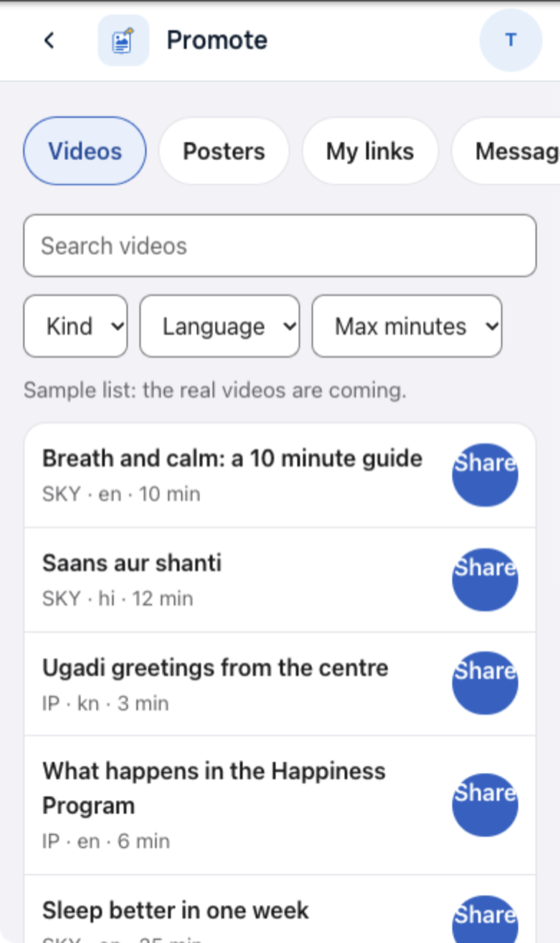
Promote

Videos, posters, your program links and ready messages.

Promote screen with videos and Share

Try:

  1. Tap Promote.
  2. Pick Videos.
  3. Tap Share.

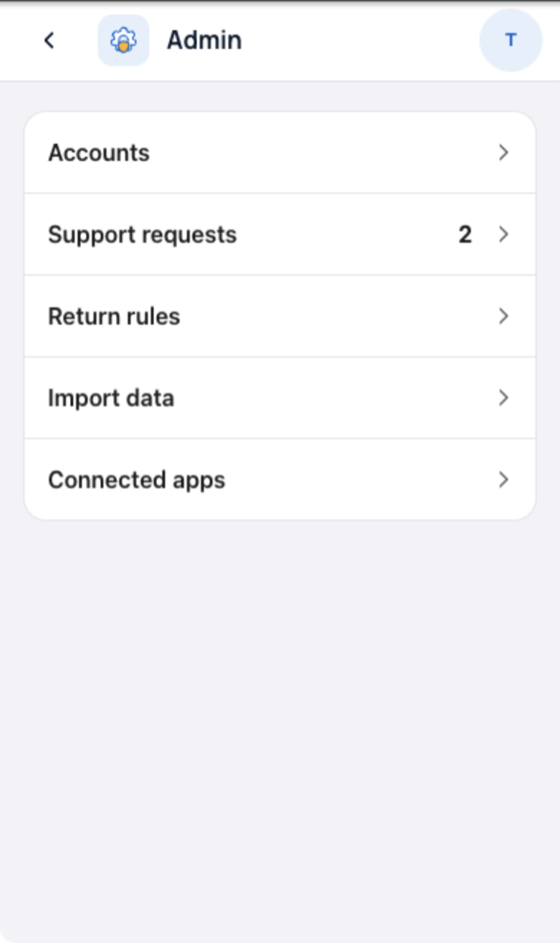
Admin (staff only)

Accounts, support requests, return rules, data import, connected apps.

Admin hub for staff

Try:

  1. Sign in as coordinator.
  2. Tap Admin.
  3. Open Support requests.

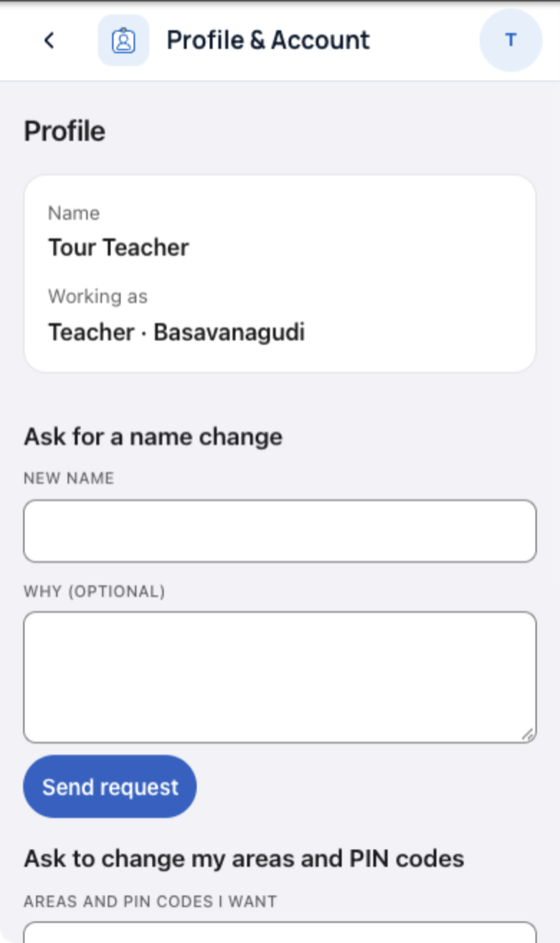
Profile & Account

Your details and your language.

Profile and language screen

Try:

  1. Tap the round initial at top right.
  2. Change the language.
  3. Open any app: it uses the same language.

CRM2's own modules

Built by the CRM2 team. They show demo data in this demo.

16 tiles in all for a full-access persona. Admin shows for staff only.

How it fits together

Before and after: a fixed tile list became one list that apps join
  1. One home. All apps open from one tile screen.
  2. One top bar. Back, app name and account look the same in every app.
  3. Your tiles only. The app list is read at sign-in. Your role decides the tiles.
  4. Off without a rebuild. An admin switch hides a tile. The app then answers "not found".
  5. Two teams, no clash. CRM2 modules and added apps keep separate data. They meet only through the home screen and APIs.

What changed in CRM2 (core)

1. App list

BeforeThe tile list was fixed in code.

AfterThe home screen reads the list at sign-in.

WhyA team adds an app without editing the home screen.

2. On/off switch per app

BeforeEvery person saw every tile.

AfterEach app has a permission and a switch.

WhyAn admin hides an unready app in one tap.

3. One top bar and app frame

BeforeEach module drew its own header.

AfterOne shared top bar. The app shows below it.

WhyEvery app looks like one product. App teams build no header.

4. One web address

BeforeThe shell talked to CRM2's own backend only.

AfterAdded apps run under the same address.

WhyOne sign-in, one cookie, no cross-site setup.

5. Icons and languages

BeforeGeneric icons, English and Hindi.

AfterSunburst icons, six languages (en, hi, mr, te, gu, kn).

WhyOne look, and the languages volunteers speak. mr, te, gu, kn are drafts.

6. Speed

BeforeSign-in 1.12 s. Opening Leads 1.88 s.

AfterSign-in 0.57 s. Opening Leads 0.97 s.

WhyA tile tap no longer reloads the whole page.

Median of 3 runs, desktop browser at phone size. Phones were not measured.

User manual

Short how-tos per app. Each step has a picture.

The pictures are being taken now. Leads is ready first.

Leads

Goal: Add a lead

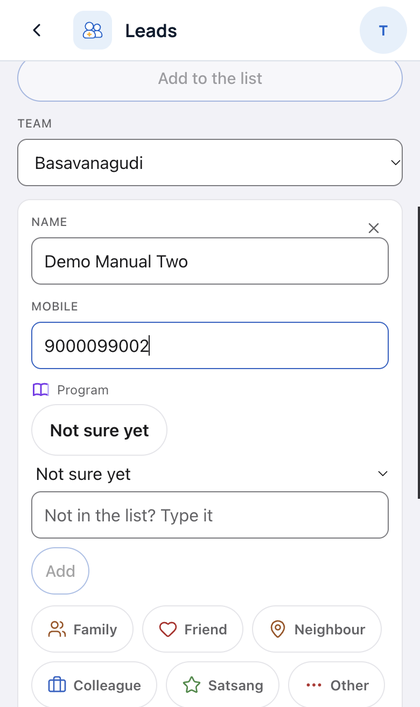
  1. Tap + Leads.
    Leads screen with the add button
  2. Type the name.
    Name field
  3. Type the phone.
    Phone field
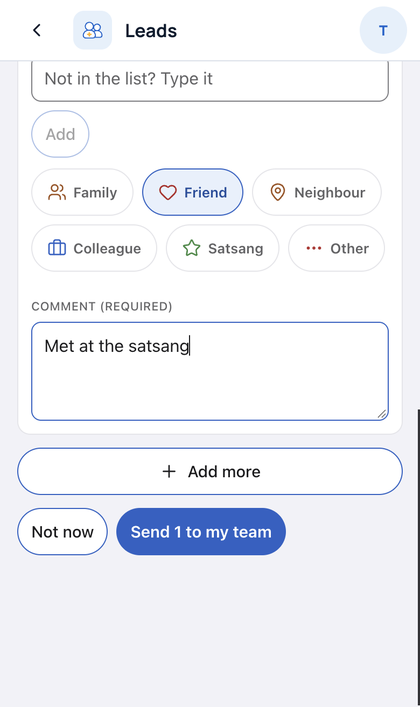
  4. Pick the source.
    Source choices
  5. Tap Save.
    Save button

Goal: Find a lead

  1. Tap the search box.
    Leads search box
  2. Type part of a name or phone.
    Search results

Goal: Call or WhatsApp a lead

  1. Tap Call or WhatsApp on the card.
    Lead card with Call and WhatsApp

Goal: Add a phone that is already a lead

  1. Add the lead as usual.
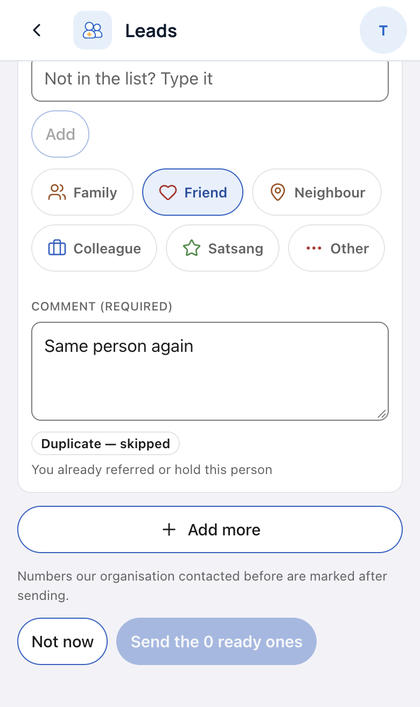
    Add form with a known phone
  2. The app joins it to the open lead.
    The open lead with the joined entry
Teams
  1. Coming soon
Survey
  1. Coming soon
Seva
  1. Coming soon
Seva Rides
  1. Coming soon
My Programs
  1. Coming soon
Find Programs
  1. Coming soon
Announcements
  1. Coming soon
Promote
  1. Coming soon
Admin
  1. Coming soon
Profile & Account
  1. Coming soon

For developers

Architecture now

Architecture now: one shell on one address, two backends that meet only through APIs

How an app plugs in

How an app plugs in: four steps from a list row to a page in the frame
  1. Add one row to the app list (packages/app-registry): id, entry, permission, switch.
  2. GET /api/apps returns only the rows this person may open.
  3. A tap opens /x/<id>/. This "door" checks the session and the switch.
  4. The shell draws the top bar. The app page loads below it, without its own bar.

Switch off: the tile hides, and the door and the app's API answer 404.

The PR plan

Coming soon. Expect one feature branch per app (Leads and Teams first), plus core branches for the shell.

What stays in the demo only

  1. Sign-in with the demo accounts. CRM2's own sign-in replaces it.
  2. The link that brings added apps under the CRM2 address.
  3. The local stub of the CI SDK.
  4. The name "Samanvay" in the shell, until the group agrees.

What is next

  1. Team tries the demo and sends notes.
  2. PRs open app by app, Leads and Teams first.
  3. The user manual gets a picture per step for every app.
  4. Hindi is checked. Then Marathi, Telugu, Gujarati and Kannada.
  5. The group decides on the name and on D1 for new apps.